Vor knapp zwei Monaten habe ich euch Storylines in Viva Engage vorgestellt (zum Blogartikel). Seit dieser Woche ist nun auch die Storyfunktion in Viva Engage verfügbar. Aktuell noch im Public Preview, aber das kann man ganz einfach umstellen. Für mich liefert die Story-Funktion eine zusätzliche Kommunikationsmöglichkeit in der internen Kommunikation. Anwendungsfälle sind für mich beispielsweise das Teilen von Inhalten im Alltag (Kundenbesuch, Events, Arbeiten in Co-Working-Spaces etc.) oder auch für Leaders in einer Unternehmung zusätzliche Nähe zu den Mitarbeitenden zu schaffen. Das gleiche gilt natürlich auch für den Austausch untereinander. Den das Prinzip von Stories ist schon lange in unserem Alltag. In Instagram, WhatsApp oder Snapchat ist die Funktion eine häufig genutze, in anderen soziale Netzwerke wie bspw. LinkedIn konnte sich die Story-Funktion nicht durchsetzen. In diesem Artikel liefere ich dir einen ersten Überblick über die neue Funktion.
WAS?
Während in Viva Engage mehrheitlich in den Communities kommuniziert wird, kann man mit Storylines Communitylosgelöste Posts erfassen. Durch die neue Möglichkeit von Stories kann man von nun an nicht nur Communityunabhängige Posts erfassen, sondern auch ganz einfach Fotos und Videos teilen im Story Prinzip. Dies soll die Engagementrate weiter erhöhen und zusätzliche Funktionen schaffen. Aus meiner Sicht ist in dieser Funktion definitiv Potential vorhanden, jedoch wird es für die Mitarbeitenden nicht einfacher, wenn es einen zusätzlichen Informationskanal gibt. So rückt eine klare Governance / Spielregeln noch weiter in den Fokus, damit man klar aufzeigen kann, welche Informationen in Teams, Intranet, Engage-Post oder doch Engage-Story kommen.
WIE?
1. Öffne deinen Viva Engage App
2. Stelle nun sicher, dass die Public Preview-Funktion aktiviert wurde, falls du nicht weisst wie das geht, erfahrst du dies in diesem Artikel.
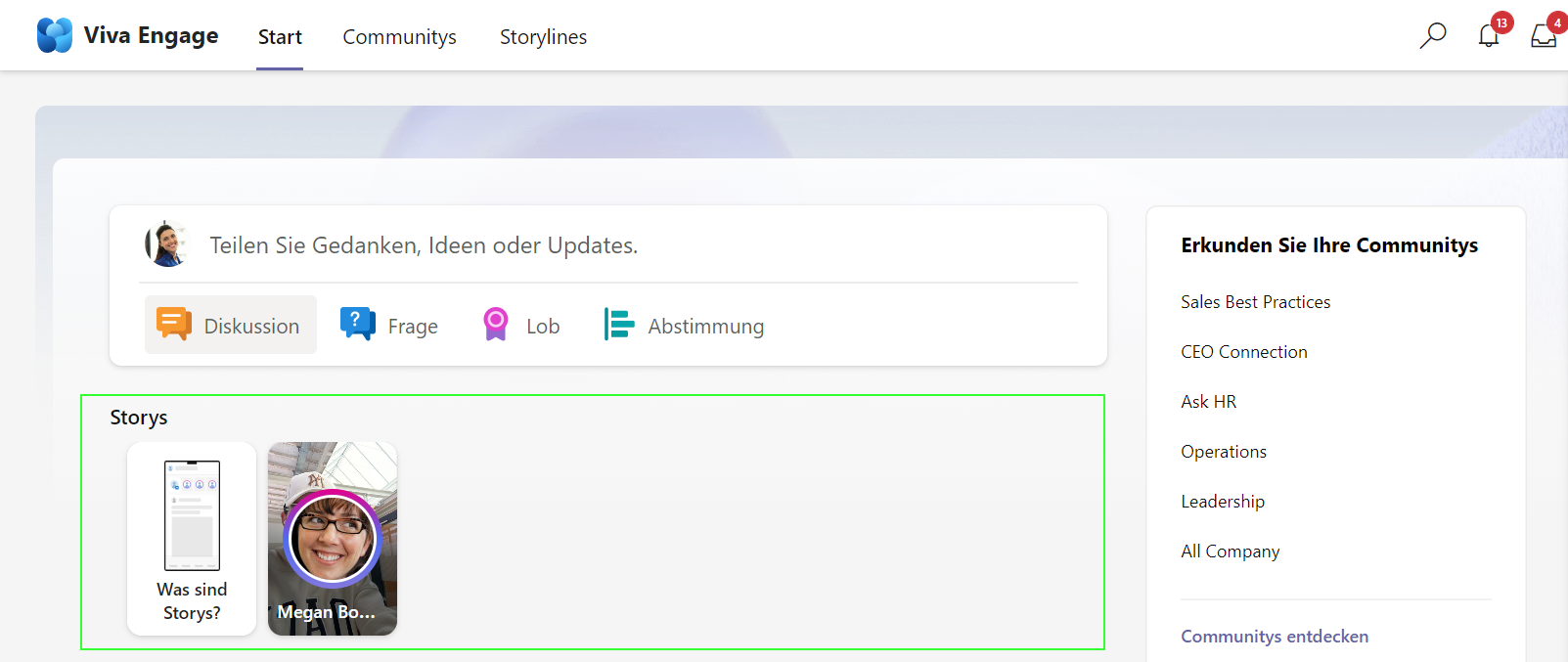
3. Klicke Die Story-Übersicht platziert sich direkt im «Start» Tab
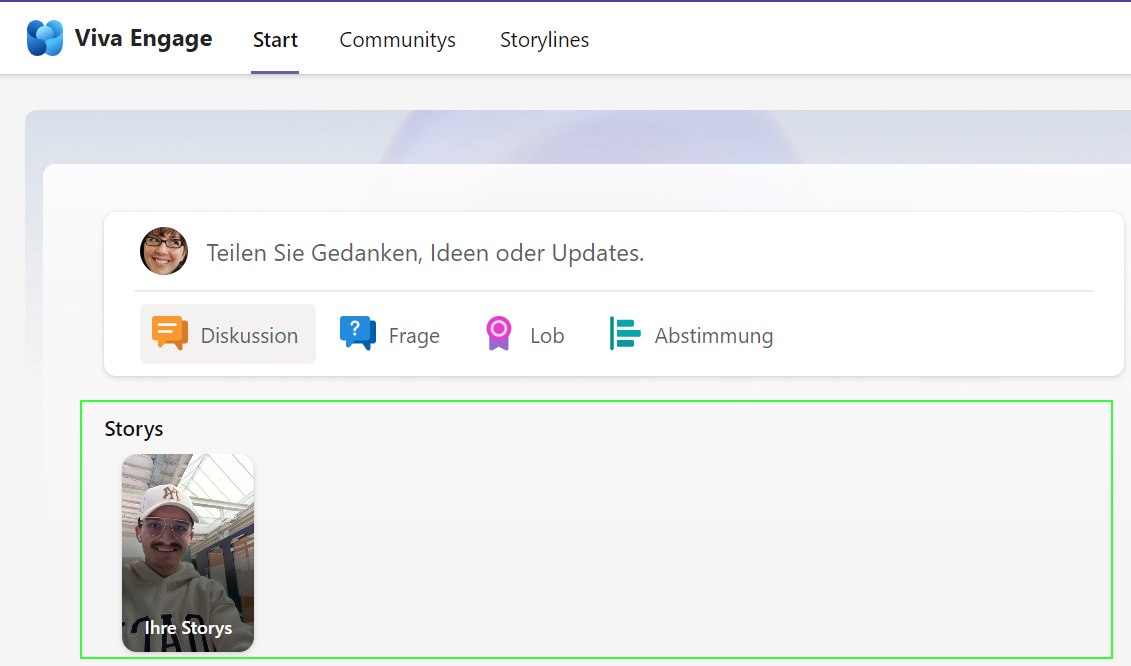
4. Nun kannst du direkt von deinem mobile Gerät eine neue Story erfassen.
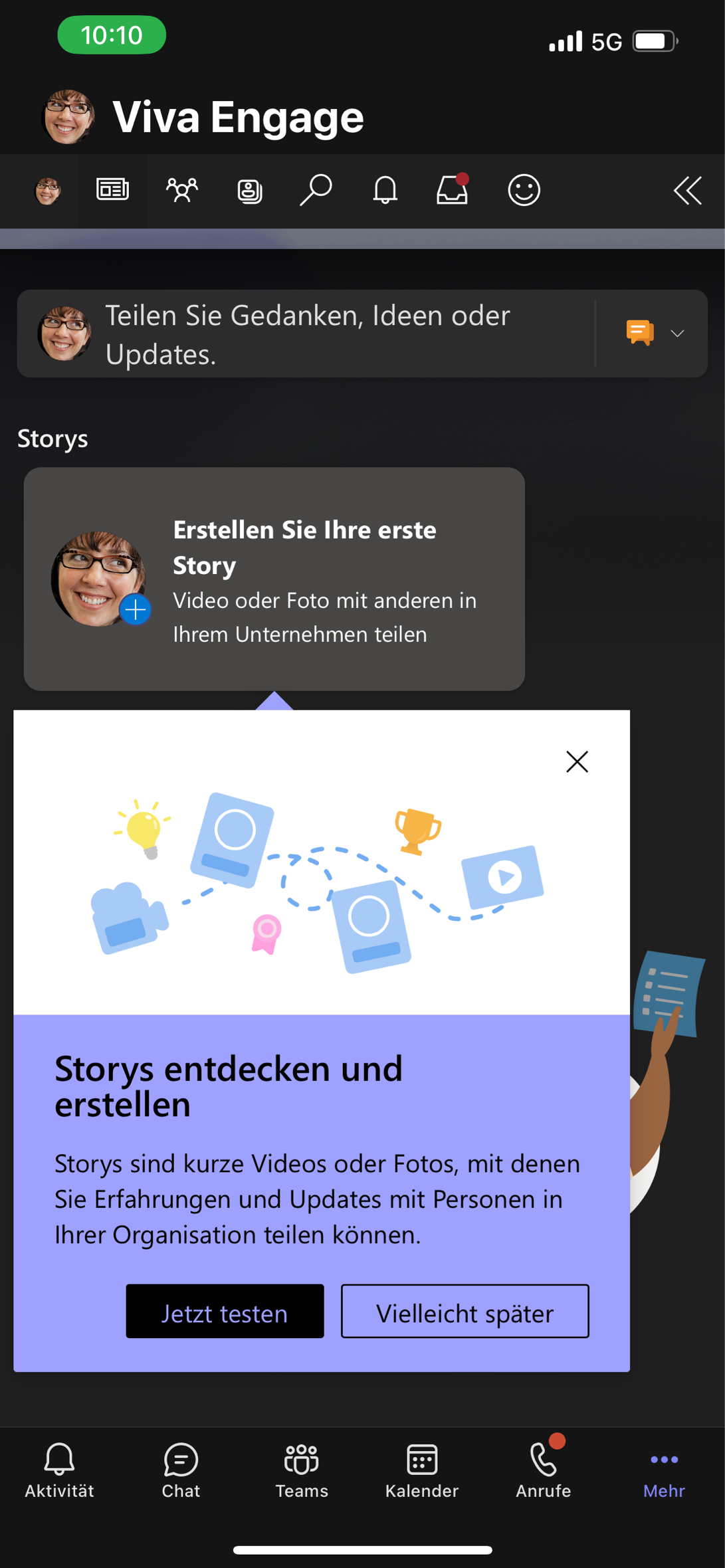
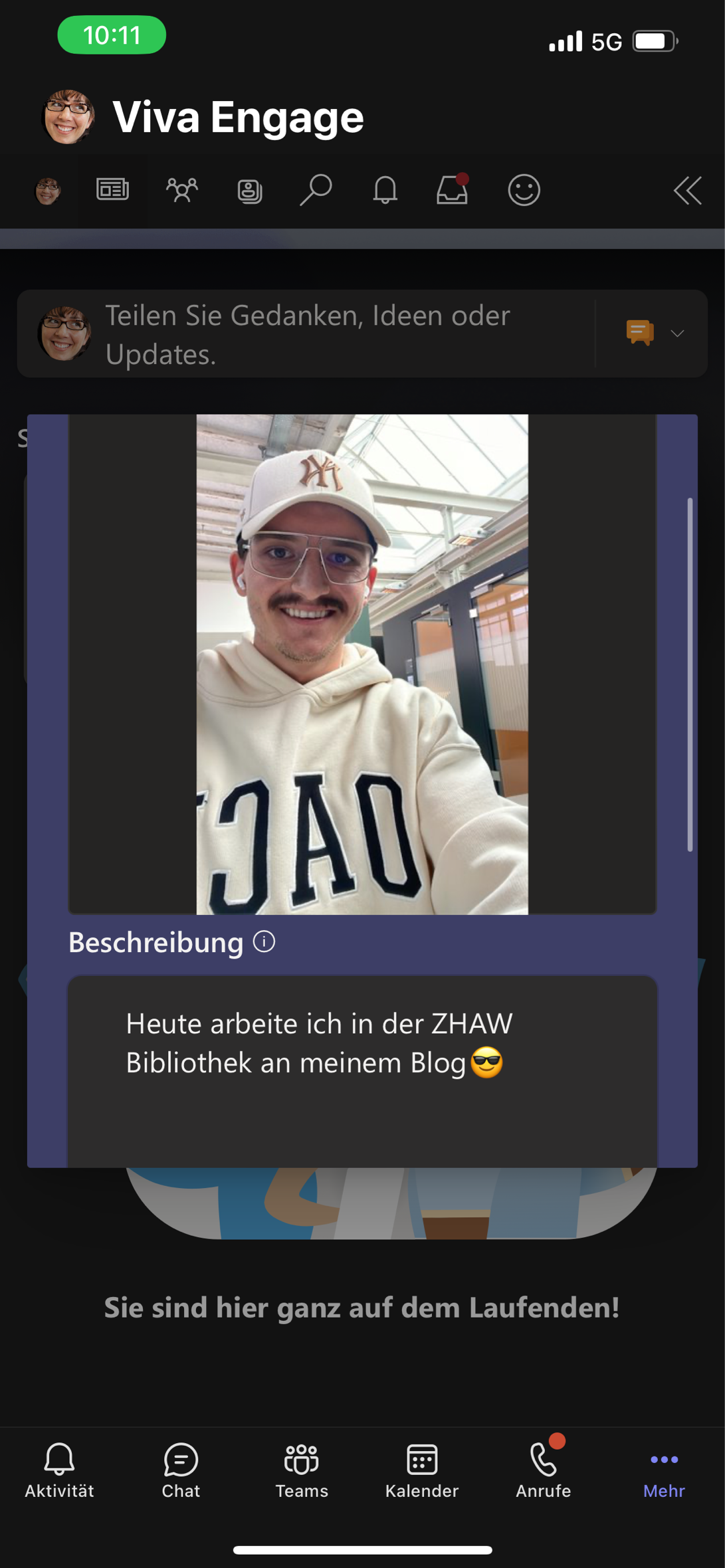
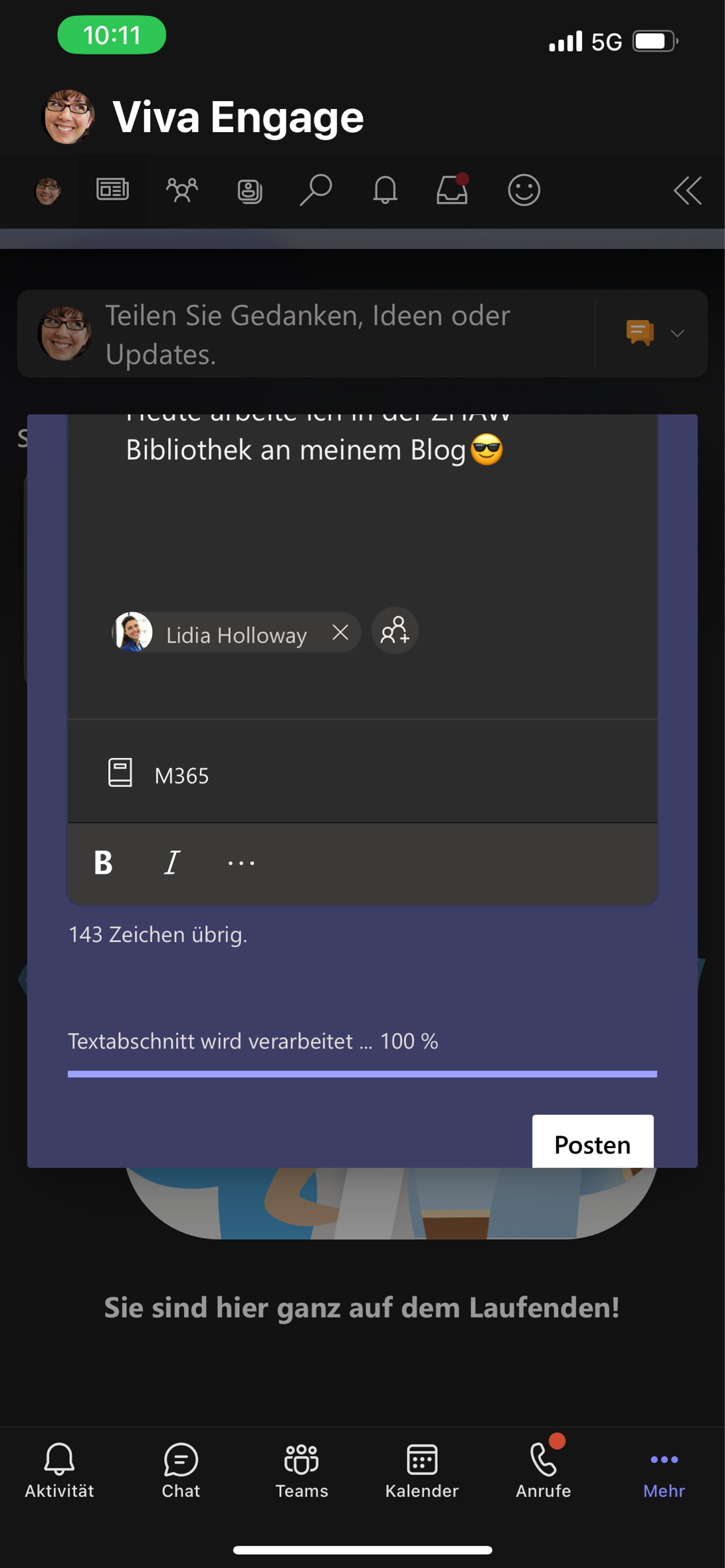
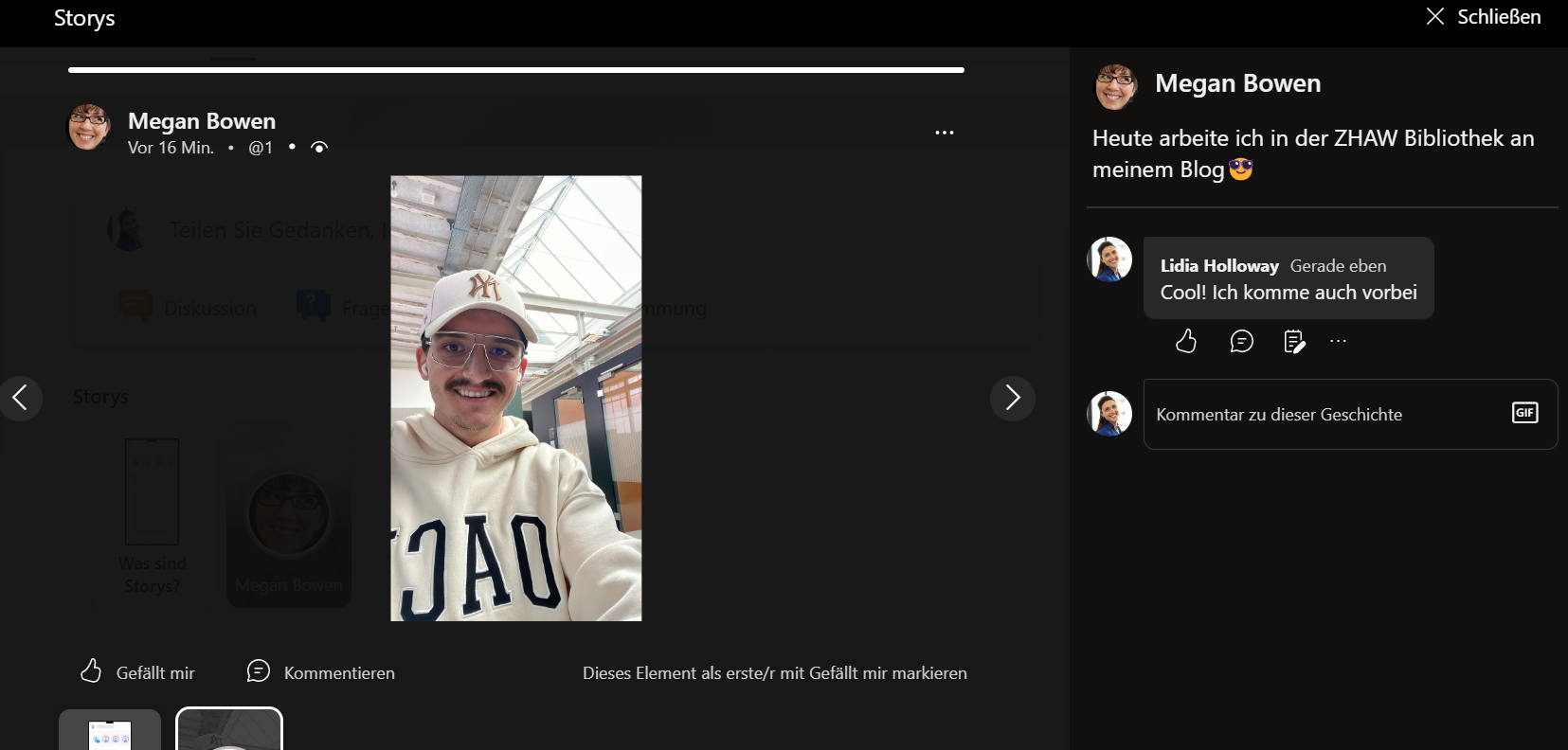
5. Deine Arbeitskolleg:innen können nun deine Stories direkt oberhalb von ihrem Feed ansehen, liken und kommentieren.
Deine Meinung Interessiert mich
Hast du das Gefühl, dass die Story-Funktion im Arbeitsalltag einen Mehrwert liefern kann?
Lass es mich in den Kommentaren wissen

Zusammenfassung
In Viva Engage steht seit dieser Woche die Story-Funktion zur Verfügung. Ich habe dir die wichtigsten Informationen in diesem Artikel zusammegefasst.