Many people use additional tools for booking appointments with externals. Now the new feature «bookable time» is generally available in Outlook. This makes it possible to make your personal calendar publicly available.
How?
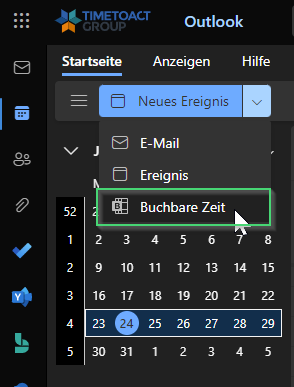
1. In your Outlook web you will find the option «bookable times» under Calendar > New Event. If you work with the desktop app go to the link: Book with me
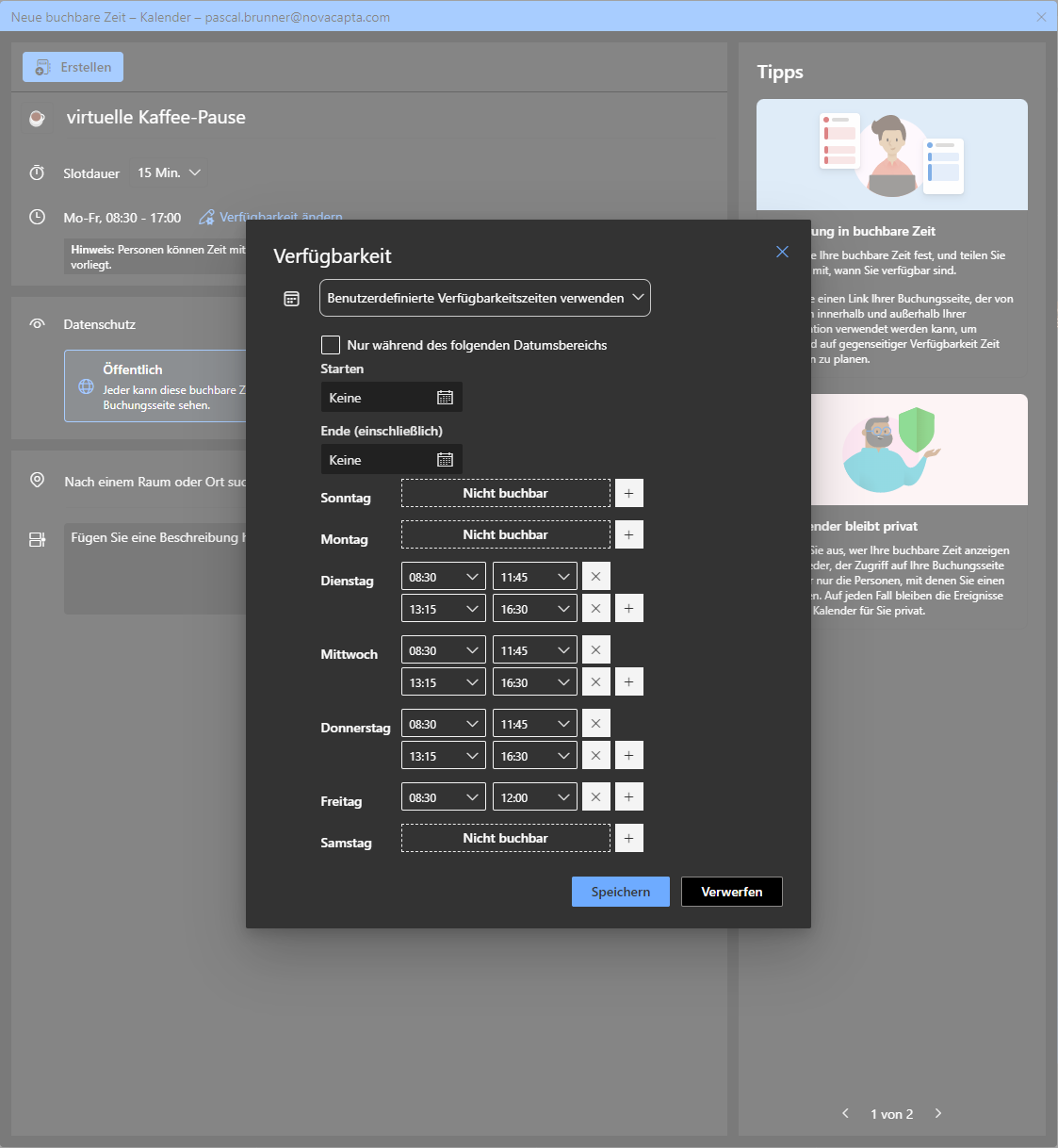
2. Now you can create a new event type. You can set a title, how long the meeting should last and then you can add your bookable times. Either you take your default setting according to the Outlook calendar, or you can set individual times per event type.
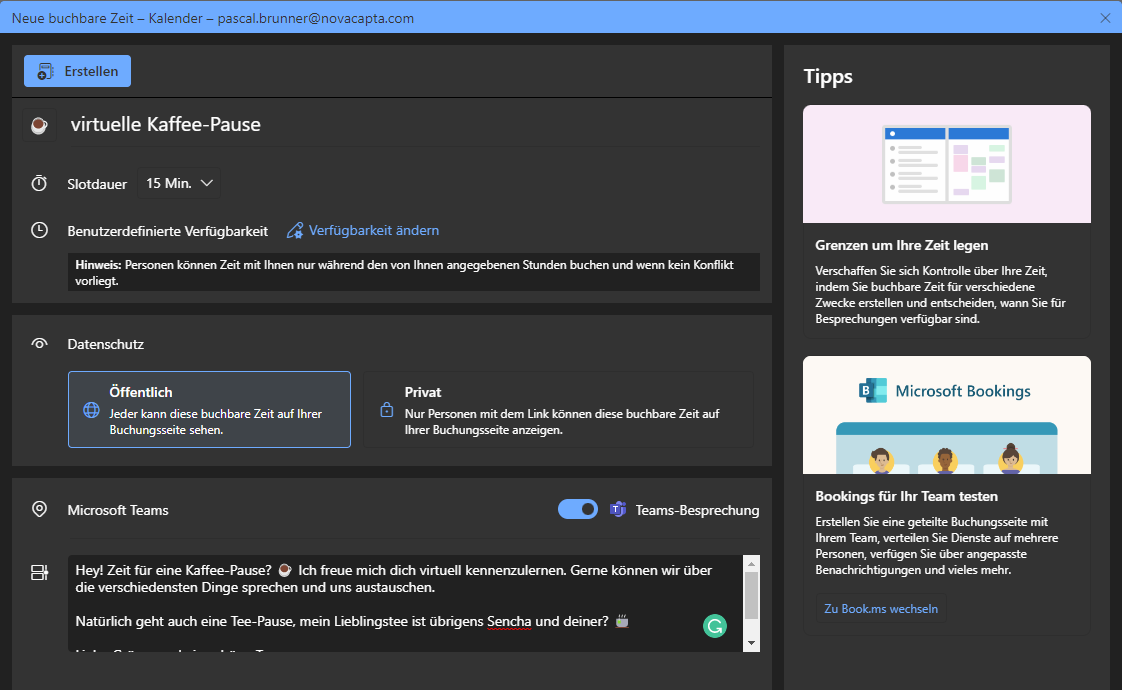
3. Add a short text, that your counterpart knows what this is about. You can also specify whether the type should be publicly available or private.
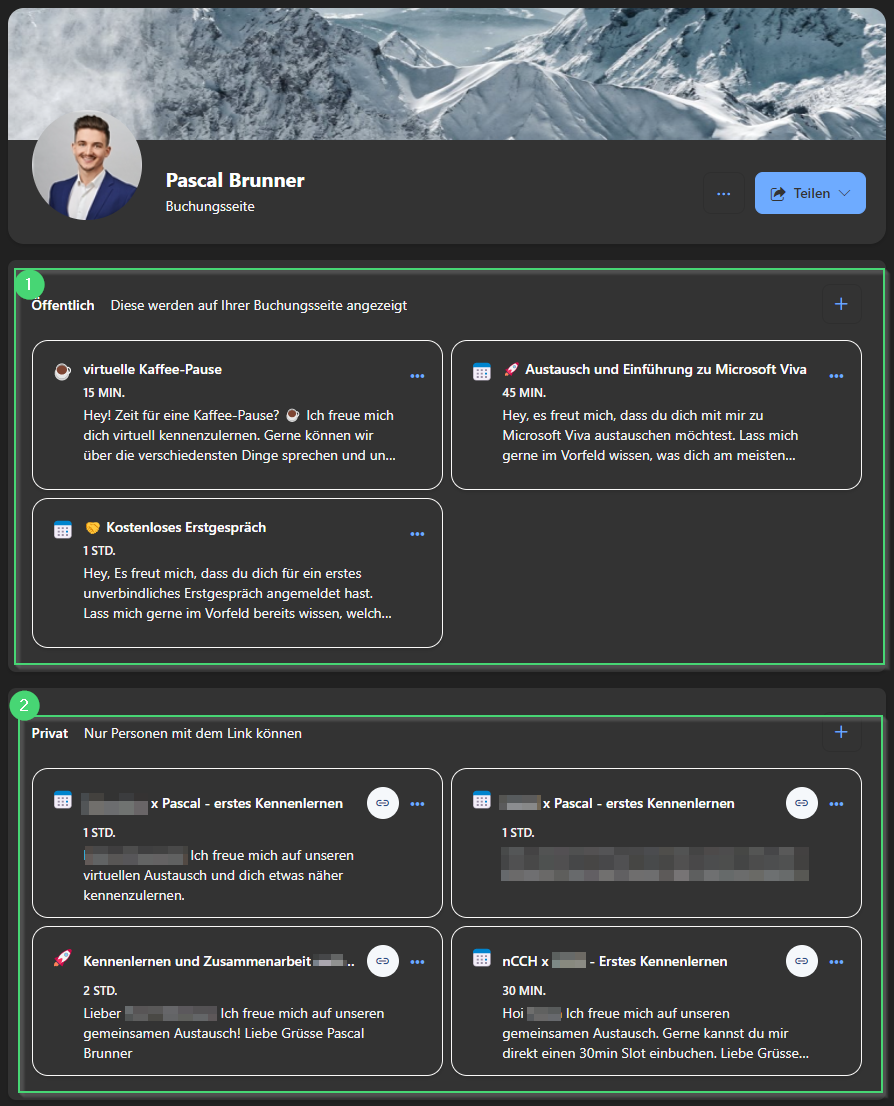
4. After you have created all events, you can share your booking page. Your contact will see only the public part (1) and can easily select the type and see your available times in your calendar. Of course, existing events will be taken into account.
If you want to create an individual invitation and you have set the event to private (see above), you can get the link directly on your booking page (2).
Who’s in? Grab a coffee with me!
I have already used this for a long time and am more than happy with it!
Let’s grab a coffee and have a virtual break. ☕

Summary
Booking appointments with externals has never been easier. With bookable times, simply make your calendar available to your contacts.